

Add Cloudflare Turnstile to Sulu's Form bundle

This module integrates protection mechanisms against bots and spammers, including : Honeypot technique and Google reCaptcha implementation.
In this article, we'll explore how to add a new protection feature to Cloudflare's CAPTCHA: Turnstile.
Remember that Sulu is a CMS based on the Symfony framework ecosystem.
Sulu's form management module lets you add new fields based on the formtypes of the Symfony Form bundle.
For this tutorial, we'll be using our Symfony bundle to integrate Turnstile into your Symfony forms.
1. Installing the Turnstile bundle for your project on Sulu 2.5 and higher
Source code for the bundle, which has been enriched by the community, is available at: https: //github.com/Pixel-Open/cloudflare-turnstile-bundle
Sulu manages its dependencies with Composer. To install the bundle, simply run the following command:
composer require pixelopen/cloudflare-turnstile-bundleThe bundle is based on Symfony Flex, which automates the installation of the bundle in your Sulu project.
2. Add Turnstile field for Sulu form module
To make Sulu aware of the new form field type, we need to create a new class that implements the SuluBundleFormBundleDynamicFormFieldTypeInterface :.
Create a TurnstileType.php file in your project tree: src/Form/Dynamic/Types/ with the following code:
<?php

namespace App\Form\Dynamic\Types;

use PixelOpen\CloudflareTurnstileBundle\Validator\CloudflareTurnstile;
use Sulu\Bundle\FormBundle\Dynamic\FormFieldTypeConfiguration;
use Sulu\Bundle\FormBundle\Dynamic\FormFieldTypeInterface;
use Sulu\Bundle\FormBundle\Entity\FormField;
use Symfony\Component\Form\FormBuilderInterface;

class TurnstileType implements FormFieldTypeInterface
{
    public function getConfiguration(): FormFieldTypeConfiguration
    {
        return new FormFieldTypeConfiguration(
            'app.form.dynamic.type_turnstile',
            __DIR__ . '/../../../../config/form-fields/field_turnstile.xml',
            'special',
        );
    }

    public function build(FormBuilderInterface $builder, FormField $field, string $locale, array $options): void
    {
        $options['mapped'] = false;
        $options['constraints'] = new CloudflareTurnstile();

        $builder->add($field->getKey(), \PixelOpen\CloudflareTurnstileBundle\Type\TurnstileType::class, $options);
    }

    public function getDefaultValue(FormField $field, string $locale)
    {
        return null;
    }
}
To make Sulu aware of the new form field type, we need to create a new class that implements the SuluBundleFormBundleDynamicFormFieldTypeInterface :.
Create a TurnstileType.php file in your project tree: src/Form/Dynamic/Types/ with the following code:
<?xml version="1.0" ?>
<properties xmlns="http://schemas.sulu.io/template/template"
            xmlns:xsi="http://www.w3.org/2001/XMLSchema-instance"
            xmlns:xi="http://www.w3.org/2001/XInclude"
            xsi:schemaLocation="http://schemas.sulu.io/template/template http://schemas.sulu.io/template/properties-1.0.xsd">
    <xi:include
            href="../../vendor/sulu/form-bundle/Resources/config/form-fields/header.xml"
            xpointer="xmlns(sulu=http://schemas.sulu.io/template/template)xpointer(//sulu:property)"
    />
    <property name="title" type="text_editor" mandatory="true">
        <meta>            <title>sulu_form.title</title>
        </meta>    </property>
    <property name="shortTitle" type="text_line">
        <meta>            <title>sulu_form.short_title</title>
            <info_text>sulu_form.short_title_description</info_text>
        </meta>    </property></properties>
Sulu must be informed of the existence of the new form type. This is done by tagging the service with the sulu_form.dynamic.type tag in the services.yaml file.
App\Form\Dynamic\Types\TurnstileType:
    tags:
        - { name: 'sulu_form.dynamic.type', alias: 'turnstile' }
We will add the translation of this new field by creating / modifying the file translations/admin.en.json :
{
 "app.form.dynamic.type_turnstile": "CloudFlare Turnstile"
}
Backend
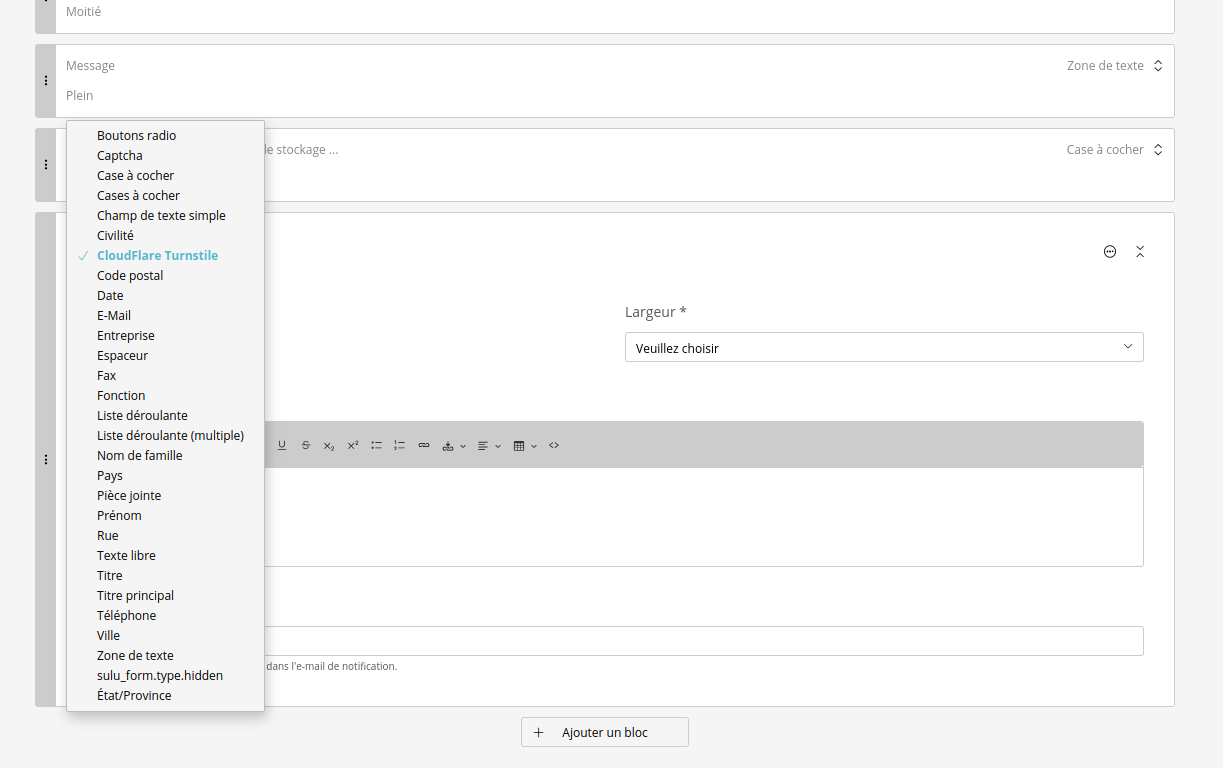
Don't forget to clear Sulu's cache and refresh the CMS administration interface.
You should then see the new field created in your forms management as shown in the image.
Frontend
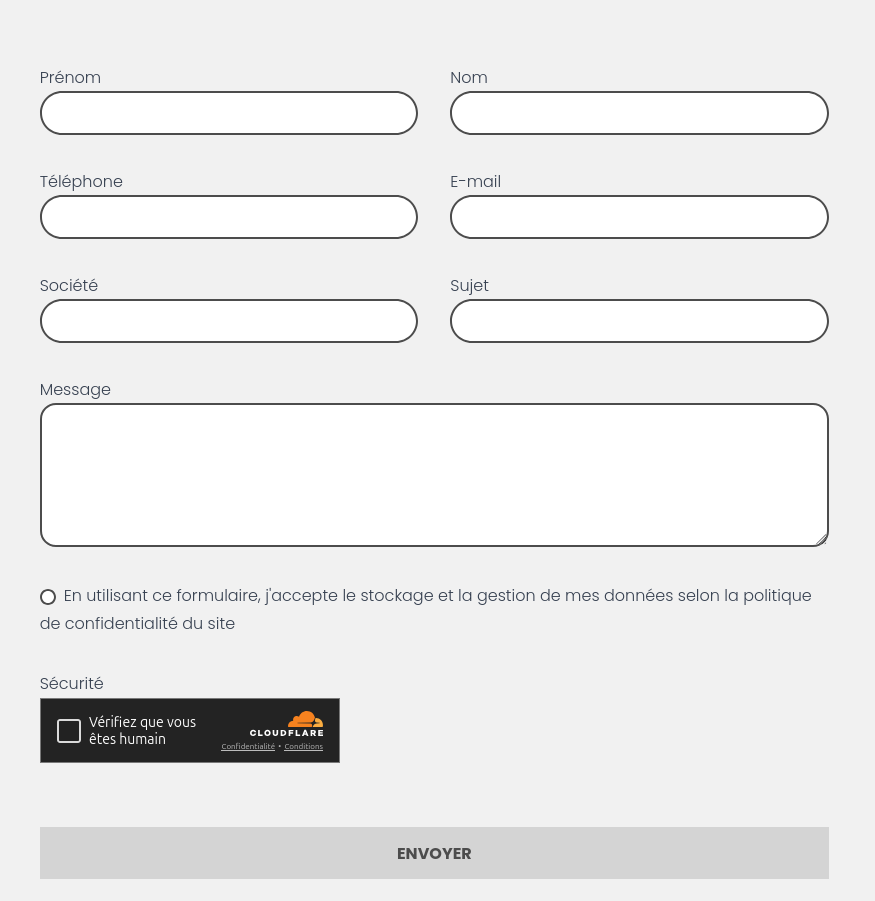
And on the frontend, you'll also see Cloudflare's captcha.